
Every list of the best novel writing apps has the same problem. It is written to send you to an affiliate link, not to help you finish a book. This one has a different problem, and I want to name it up front: I built one of the apps on it. Penflow is mine. So read this the way you would read a restaurant review written by a chef who owns a place down the street. I know the field well, and I have a bias. I will tell you plainly when a competitor is the better pick, because for many writers one of them is.
There is no single best novel writing app. There is the best app for how you write. A plotter with a fantasy world to track needs different novel writing software than a pantser who wants a blank page and silence. So this list is organized around that question. For each tool: what it does well, where it falls short, and who should pick it.
Key takeaways
- Scrivener is still the deepest toolbox. Reedsy Studio is the best free option.
- If you want AI to draft prose with you, Sudowrite and Novelcrafter are the honest picks.
- If you want your manuscript in plain files on your own computer, your options are Penflow and Obsidian.
- Most published novels were written in Word or Google Docs. The app matters less than showing up to write. It just should not get in your way.
How I judged the best novel writing apps
Three questions sort every writing app.
Where does your manuscript live? Cloud apps keep it on their servers, which means sync across devices but also means your book sits behind someone’s login. Local apps keep it on your disk, which means it is yours even if the company disappears.
What does the tool do beyond the page? Some apps are plain editors. Others add outlining, character tracking, or formatting for print. Nobody does everything well.
What does it cost when you are honest about the total? One-time purchases age into paid upgrades. Free tiers have edges. Subscriptions add up over the years a novel actually takes.
I have used every tool on this list with real writing, not a demo project. Prices below are current as of July 2026 but do check, they shift.
One more honest note before the list. The data on who finishes novels is humbling. NaNoWriMo’s numbers put completion around 9% of participants. No app on this list changes that by itself. What an app can do is remove friction: fewer clicks between you and the page, fewer excuses, and a manuscript you never worry about losing. Judge every tool below by that standard, not by its feature list.
The best novel writing software at a glance
| App | Best for | Price | Where your book lives |
|---|---|---|---|
| Penflow | Local files, quiet writing | Free account for one novel, $4/mo for unlimited and AI plus model usage | Your computer, plain Markdown |
| Scrivener | Deep structure and control | About $60, one time | Your computer, Scrivener format |
| Dabble | Friendly cloud writing | Subscription, lifetime option | Dabble’s cloud |
| Reedsy Studio | Free, with clean export | Free | Reedsy’s cloud |
| Atticus | Self-publishing formatting | About $147, one time | Atticus cloud, offline mode |
| Novelcrafter | AI-assisted drafting | Roughly $10-15/mo | Novelcrafter’s cloud |
| Sudowrite | AI that writes with you | Subscription, tiered by AI words | Sudowrite’s cloud |
| Campfire | Deep worldbuilding | Free base, paid modules | Campfire’s cloud |
| Ulysses | Writing across Apple devices | About $6/mo or $40/yr | iCloud |
| Obsidian | Building your own system | Free | Your computer, plain Markdown |
Penflow: for writers who want their files back
Disclosure again: this is my app. Here is what it is and is not.
Penflow is a desktop app for writing novels. Your manuscript lives as plain Markdown files in a folder on your Mac. Close the app and the files are still there, readable in any text editor. The app has three rooms. Write is the manuscript. Codex tracks your characters, places, and world rules. Outline is where you plan chapters and scenes. A free account covers writing and export for one novel. The $4/month Supporter plan adds unlimited novels and optional AI story chat, proofreading and passage rewrites you review. Model usage is billed separately through your own OpenRouter key. Relevant context is sent to model providers, including during background story-note checks you enable in Account (off by default in version 0.2.15).
Penflow has no mobile app. The current beta focuses on Mac, and it includes EPUB and PDF export with layout settings. Check the finished file against your publisher’s requirements. I wrote about the thinking behind the app in why I built Penflow.
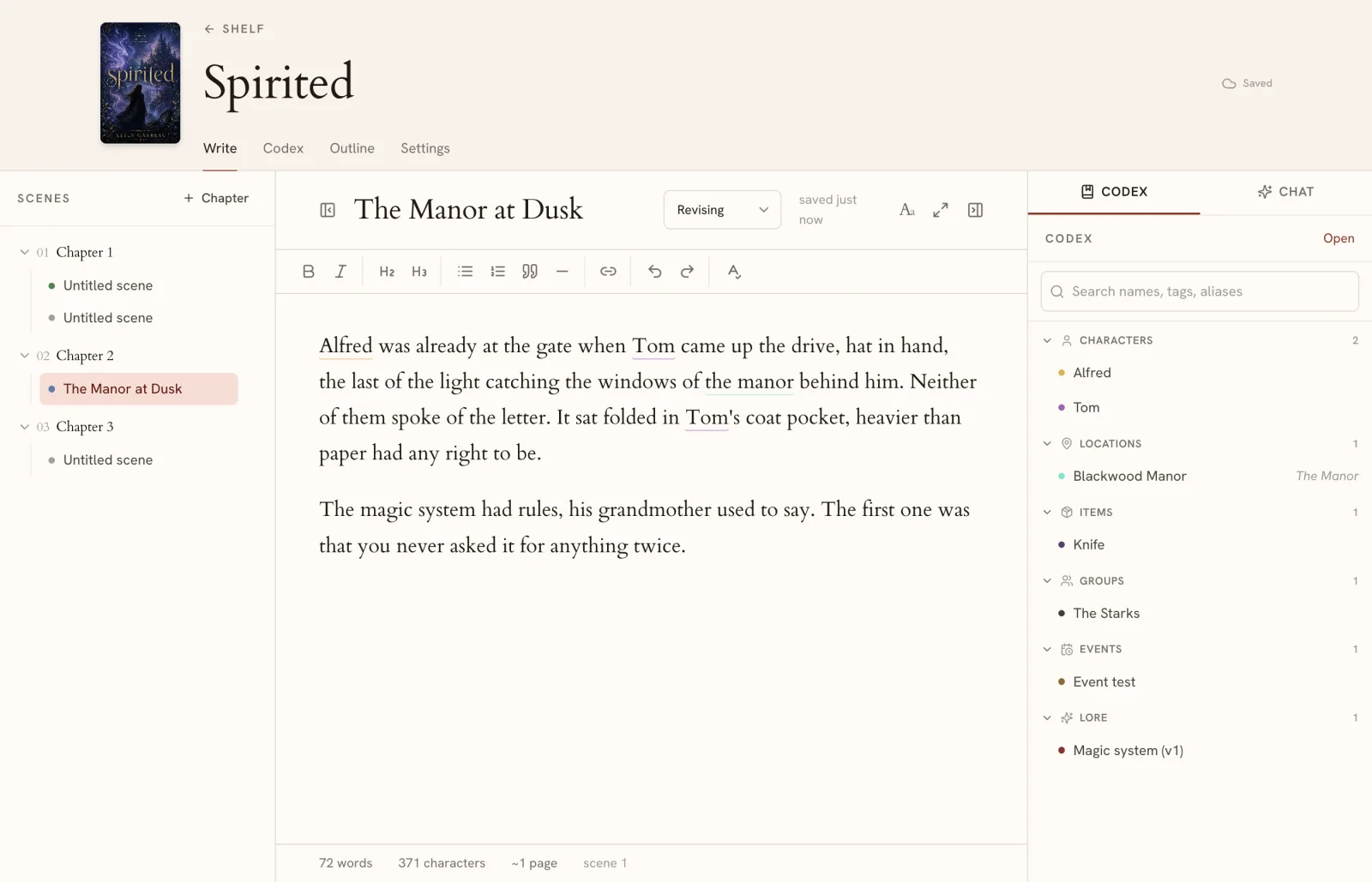
Pick Penflow if owning your files matters to you and you want a tool you can learn in five minutes. The free plan covers one full novel with no time limit.
Scrivener: the deepest toolbox
Scrivener has been the serious writer’s default for two decades, and it earned that. The binder holds your whole project. The corkboard lets you shuffle scenes like index cards. Split screen, snapshots, compile to almost any format. If a feature helps organize a long manuscript, Scrivener probably has it.
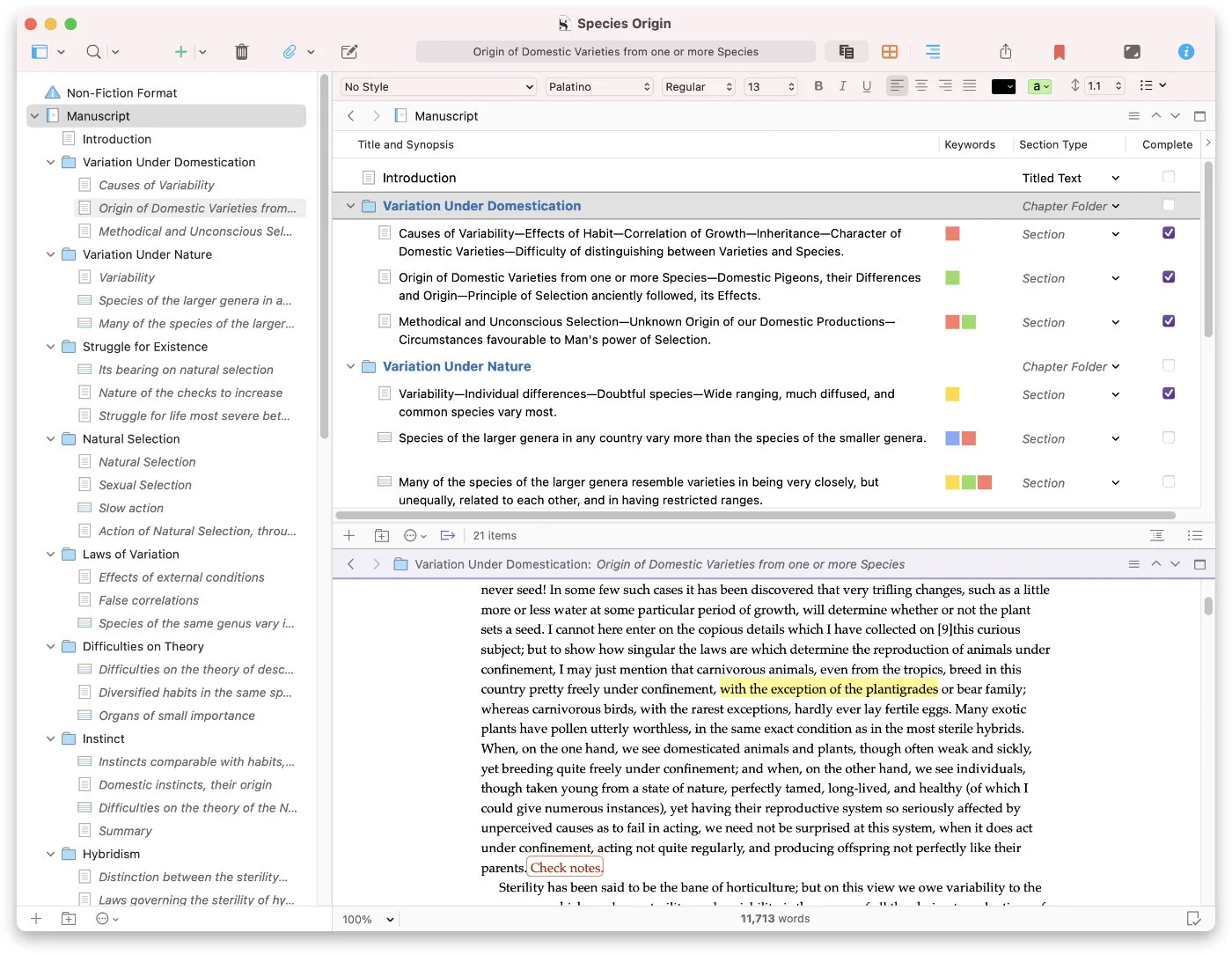
The cost of all that is the learning curve. Many writers spend their first week configuring instead of writing, and the compile system for exporting a finished manuscript is famously confusing. The interface also shows its age next to newer tools. It is about $60 one time, with major version upgrades paid separately.
Pick Scrivener if you want maximum control and do not mind studying the manual. If you tried it and bounced off, that is common, and it is what the Scrivener alternative page is about.
Dabble: the friendliest cloud app
Dabble is what a novel writing app looks like when onboarding is taken seriously. It is clean, it syncs across devices, and its Plot Grid is a genuinely good visual board for seeing your whole story scene by scene. Plotters love it for a reason.
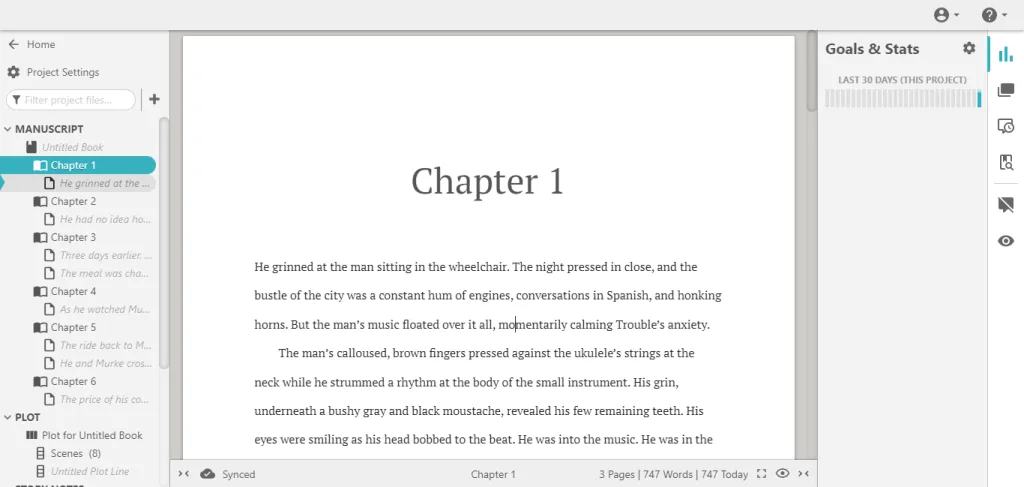
The trade-offs are the standard cloud ones. Your manuscript lives in Dabble’s account, in Dabble’s format, behind a subscription. Stop paying and you are exporting Word files to leave. There is a lifetime purchase option if the monthly bill bothers you.
Pick Dabble if you plan visually and want your book on your phone, tablet, and laptop without thinking about it. If the cloud part gives you pause, here is how Dabble compares to Penflow.
Reedsy Studio: the best free option
Reedsy Studio is free, browser-based, and clean. Its standout feature is export: it formats your manuscript into a print-ready PDF or EPUB automatically, which is something tools costing real money do worse. It is tied to the Reedsy marketplace of editors and designers, which is how the free tool pays for itself.
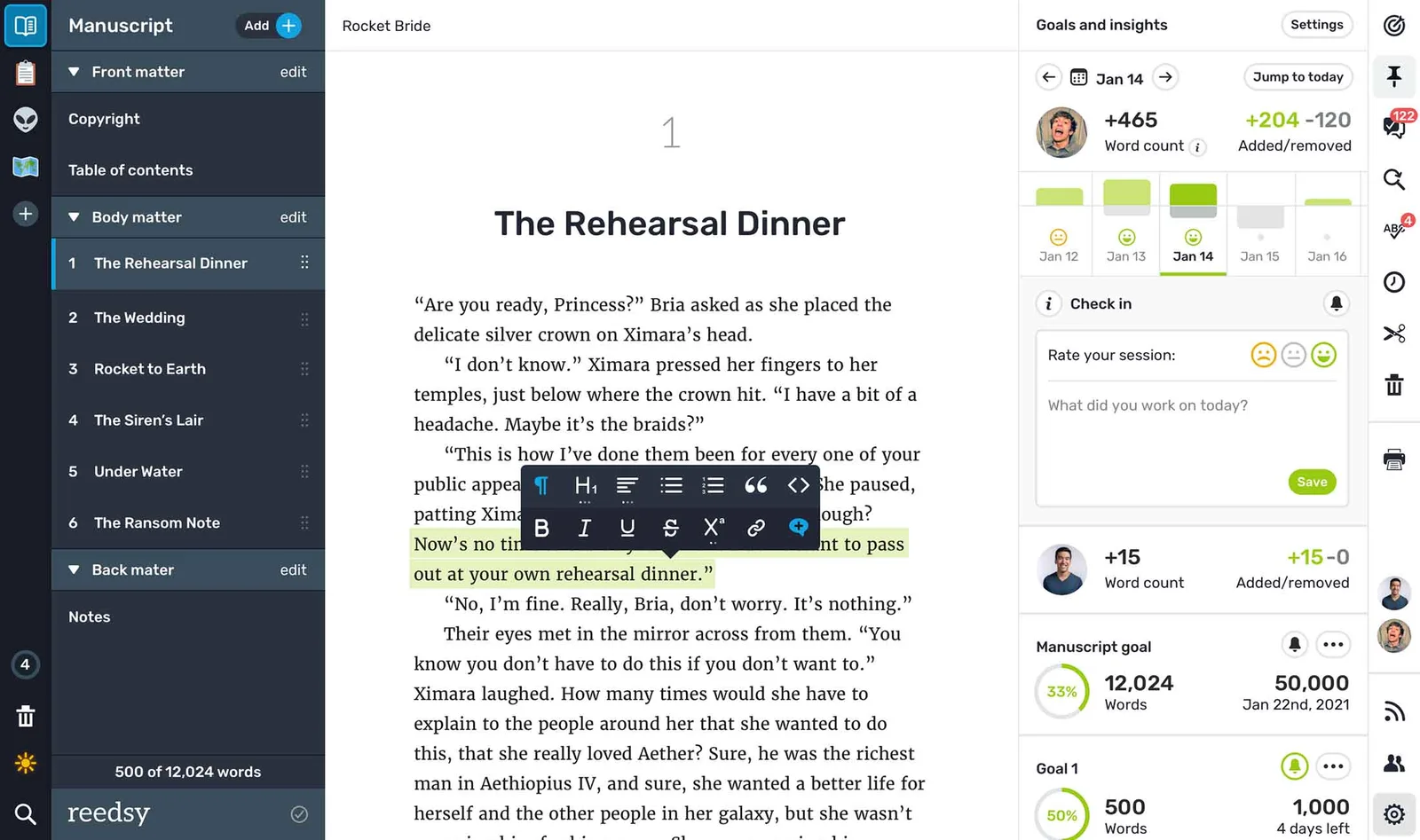
The limits: it is cloud-only with no offline mode, and there is nothing like a codex for tracking characters or world details. It is an editor with great export, not a novel workspace.
Pick Reedsy Studio if you want to spend nothing and you value clean output over planning tools. I compared more free tools in free novel writing software, and Reedsy’s trade-offs in the Reedsy alternative page.
Atticus: best for self-publishing
Atticus is built around one clear goal: write the book and format it for publication in the same tool. Its EPUB and print PDF output is excellent, and for self-publishing authors that is the feature that matters most. It works in the browser with offline support, and it is a one-time purchase of about $147.
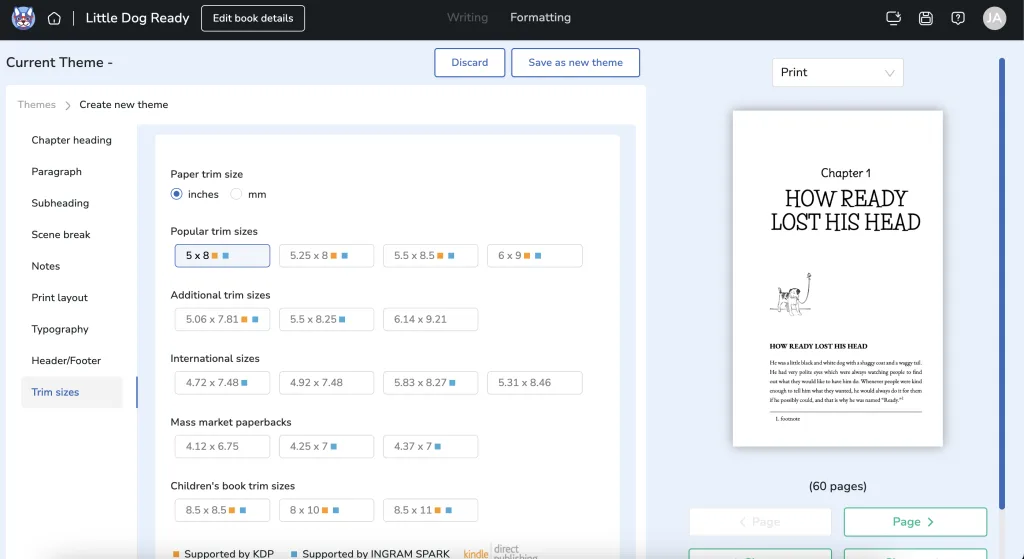
What it lacks is everything around the writing. No character tracking, no world notes, no AI. And $147 up front is real money if you are not sure you will publish.
Pick Atticus if you are finishing a book and publication is the next step. If you are still in the middle of the draft, the Atticus comparison lays out the difference.
Novelcrafter: AI as a first-class feature
Novelcrafter is what you get when a writing tool is designed around AI from day one. Scene generation, plot suggestions, chatting with your characters, all built on a codex that keeps the AI aware of your world. It is web-based, updated constantly, and runs roughly $10 to 15 a month depending on the plan.
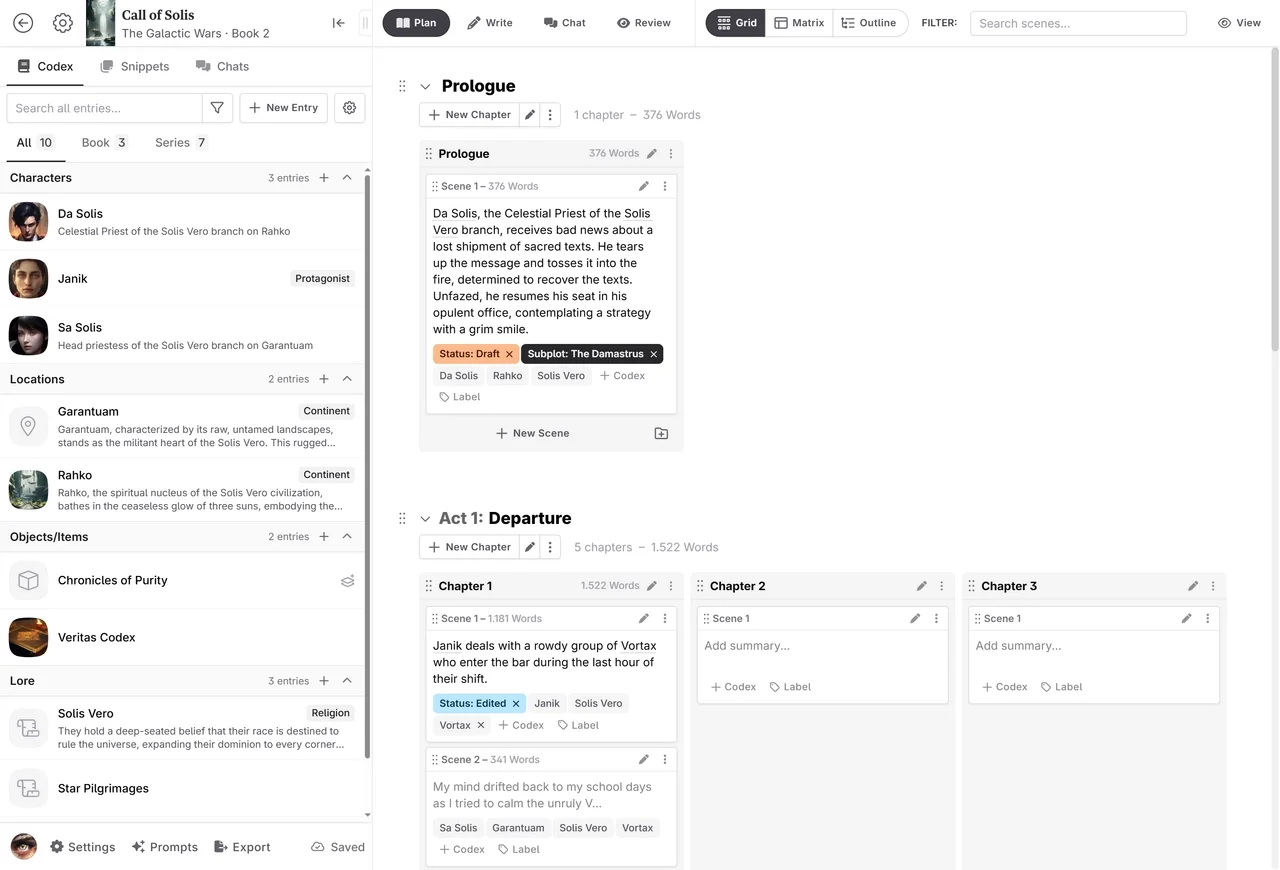
The trade-offs: your manuscript lives on their servers, and the AI is woven in deeply enough that some writers feel the tool steering the story. Whether that is a feature or a problem depends entirely on what you want from AI.
Pick Novelcrafter if you want an active AI collaborator and are comfortable writing in the cloud. If you want local manuscript files with optional AI help, that is the exact gap Penflow’s approach tries to fill.
Sudowrite: the AI co-writer
Sudowrite sits at the far end of the AI spectrum. It generates prose. It expands scenes, continues chapters in your voice, and keeps the story moving when you are stuck. Its Story Bible tracks characters and canon so the output stays consistent. Nothing else does AI drafting for fiction this well.
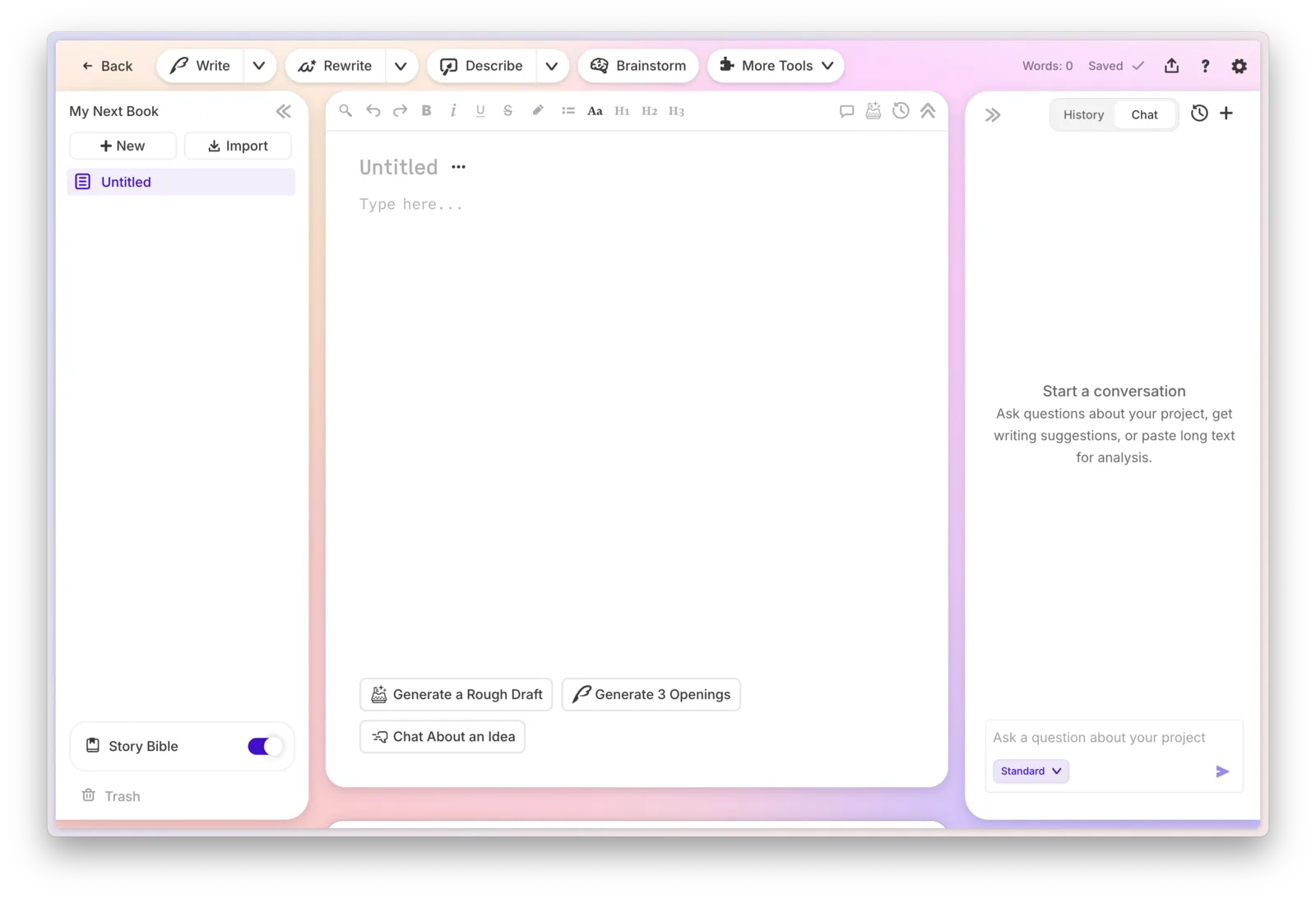
The price is tiered by how many AI words you generate, which can climb if you lean on it hard. And the philosophical question is real: if the AI drafts your chapters, whose book is it? Plenty of writers have a settled answer in each direction.
Pick Sudowrite if you want AI writing alongside you and you are at peace with that. If you want the words to be yours and the AI to stay in a supporting role, read the Sudowrite comparison.
Campfire: best for worldbuilding
If your novel comes with a map, a magic system, and a timeline of three centuries, Campfire is built for you. Its worldbuilding modules go deeper than anything else in this list: character relationships, lore categories, maps, timelines. The pricing is modular, so you pay only for the pieces you use, starting from a free base.
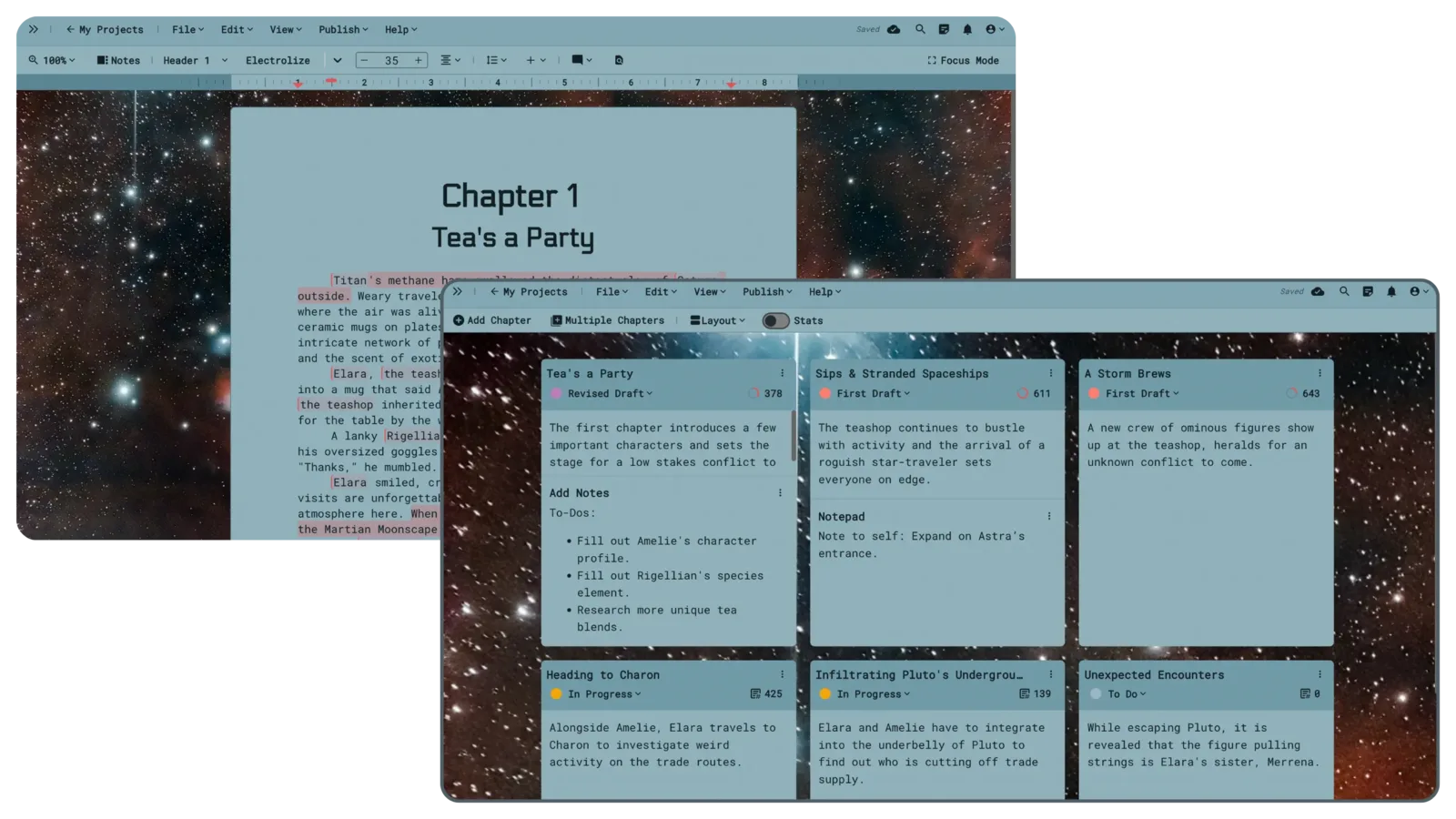
The flip side is that the writing itself feels secondary. Campfire is a world tool with an editor attached, and the modular pricing can quietly add up as your world grows.
Pick Campfire if worldbuilding is half the joy of writing for you. If you mainly need your world notes beside your manuscript rather than a full wiki, here is how it compares.
Ulysses: best on Apple devices
Ulysses is a beautiful Markdown editor for Mac, iPhone, and iPad. If you write on all three, its iCloud sync and polish are hard to beat, and its export options are strong. It is about $6 a month or $40 a year.
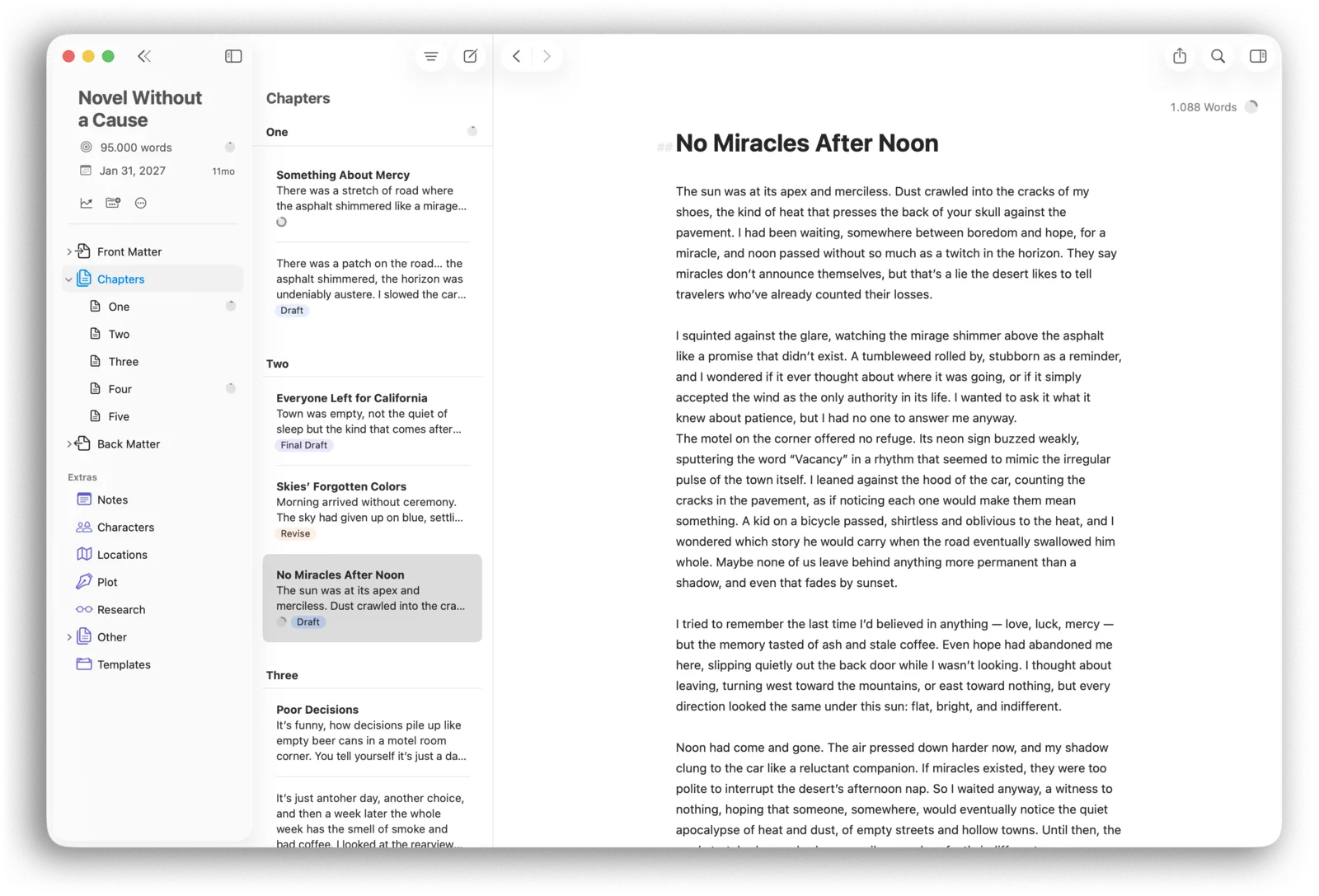
It is not novel-specific. There is no character tracker, no outline board, no codex. It manages a library of texts elegantly, but a novel is more than a stack of texts. Writers make it work with folders and keywords, the same way they make Google Docs work.
Pick Ulysses if you live on Apple devices and write more than just fiction. If you want novel structure on top of Markdown files, that is the difference from Penflow in one sentence.
Obsidian: build it yourself
Obsidian is not a novel writing app. It is a local-first Markdown tool that some writers assemble into one, with plugins for kanban boards, databases, and daily notes. It is free, endlessly flexible, and your files are plain Markdown on your own disk.
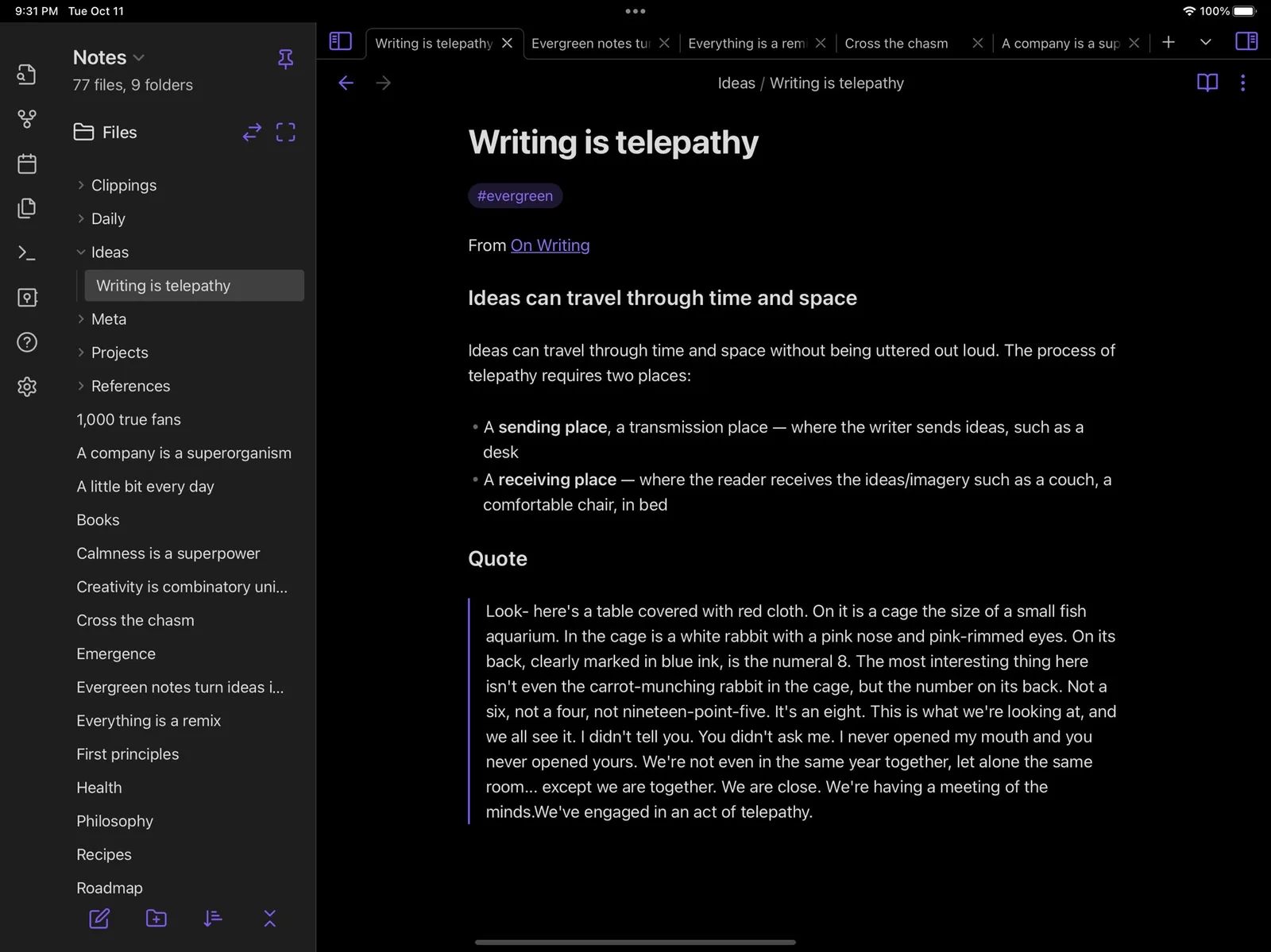
The honest cost is setup time. You will spend hours choosing plugins and building structure before you write a scene, and the system you build is yours to maintain. Some writers love that. Most just want to write.
Pick Obsidian if tinkering with your tools is part of the fun. A nice detail if you are torn: Penflow writes the same plain Markdown, so Obsidian and Penflow can share a folder. You can write in one and browse in the other.
So which is the best novel writing app for you?
Match the tool to the writer you actually are.
You want the most features and will invest time learning: Scrivener. You want free: Reedsy Studio. You are about to self-publish: Atticus. You plan visually and love sync: Dabble. You want AI drafting prose: Sudowrite or Novelcrafter. Your world needs a wiki: Campfire. You write everything on Apple devices: Ulysses. You want to build your own system: Obsidian.
And if you want a quiet app where your novel lives in plain files on your own computer, where AI feedback and passage rewrites are optional, and where the free plan covers your whole first book, that is the one I built. It is called Penflow, and you can judge for yourself whether the chef’s bias held.
Common questions
What novel writing software do most authors use? Word and Google Docs, by a wide margin. Among purpose-built tools, Scrivener has the largest user base. Newer apps like Dabble, Novelcrafter, and Penflow are growing because they each fix something specific: friendliness, AI, and file ownership.
Is there a completely free novel writing app? Yes. Reedsy Studio and Obsidian are free with no book limit. Penflow is free for one full novel. Several paid tools have trials, which is not the same thing as free.
Do I need special software to write a novel? No. Plenty of published novels were drafted in a plain word processor. Dedicated novel software earns its place when you start losing track of characters, scenes, or timelines, which for most writers happens somewhere in the messy middle of the first draft.
Which novel writing apps work offline? Penflow supports offline writing and export while your sign-in remains saved on the device; a free account and an initial online sign-in are required. Scrivener and Obsidian also support local, offline work. Atticus and Dabble have offline modes that sync back to the cloud. Reedsy, Novelcrafter, Sudowrite, and Campfire need a connection.